Pages

Showing posts with label STP: Teaching. Show all posts

Tuesday, April 30, 2019

My First Term as a STEAM Specialist @MatuaNgaru

An astute reader of this blog would probably notice that I haven't written anything here for about half a year now. A reader who knows me personally would also know that despite that fact, much has been going on in my life. I'm the type of person who, when opportunity comes knocking, finds it quite difficult to say no. Maybe it's because I read too much into the movie Yes Man. I'm not sure.

Well, opportunity certainly has come knocking a lot for me in the last six months. I'm here today to tell you about one of those opportunities that I've seized: being a STEAM specialist educator at a new school, Matua Ngaru in Auckland. Perhaps my story can help you. Perhaps it will just be an interesting read. Either way, here's what I did, how it went, and what I learned.


For some context: Matua Ngaru is a school that first opened its doors to learners on February 7th, 2019. Since about late August 2018, I've been working for the school, doing various things to get ready. We knew it was going to be a lot of work, but boy, did it ever exceed our expectations in that regard! Our first term has pretty much seemed like a non-stop school day that lasted 10 weeks. There have been ups and there have been downs, but no matter how those balance out in the end, I can say this for certain: I learned a lot!

Up until this point, I had never really spent too much time teaching STEAM specifically - unless you count robotics and a few things I've done with Lego - so being told I'd see every Matua Ngaru learner once a week to do some STEAM stuff with them was quite a scary proposition (What if I'm no good at this thing I've been trying to do for the last several years? What if I can't make it work?). Luckily, I was given this task well in advance, so I had time to prepare and think about it. I had some help and, obviously, I also had all those previous conversations with people who HAD done this before. It's safe to say I came into this with TONS of ideas.

Our school is divided at the moment into two Kāinga: Wheke, for our Year 1-3 learners and Popoto, for our Year 4-8 learners. As a school we decided I'd see four groups from Wheke and 2 from Popoto each week. To make things simple, I decided to just make two lessons each week and repeat them. While we were planning everything, we hadn't yet met any of the learners and we did't know what skills or STEAM experience they would be bringing with them when they arrived on day 1. While this decision was not a total disaster, it was clear there needed to be some more differentiation after a few weeks. The difference between a Year 1 learner who has just started school and a Year 3 learner can be quite big, and having them do the same things after a while didn't seem that great of an idea. I made it work for the term, but now that we know the learners, we've grouped them differently - and have added another group for the older children so I can give them a bit more time. These groups have been determined by the maths groupings in their kāinga, so there will be less of a range of abilities and experience within the groups.

My plan for the term was to go through as many different STEAM related areas and ideas so that I could 1) get a good understanding of where every child was and 2) introduce a lot of things that they will need going forward if my long term plans are to be realized. This plan worked quite well on some weeks and on others I felt like I needed more time. The very idea of only seeing a group once a week for 40 minutes to an hour is troublesome when it comes to STEAM, so I also had the potential problem that if I started something that needed to be kept for a further week, it would be difficult to manage all the resources.

I tried to make sure I was covering as many of the STEAM areas as I could, as well as giving a good variety of activities to introduce certain ideas to the children. Overall, I think it was a good plan and that it went well. Almost every activity (even if I thought it wouldn't) was something that the majority of the children enjoyed. Not everything went as I had thought - there was definitely a skill gap for many of the children and most had never heard of things such as Sphero, Scratch or Makey Makey.

As far as individual lessons and activities went, I tried my best to 1) make them hands on, 2) connect them with our school's 4 C values (Creative, Curious, Communicative, Collaborative) and 3) highlight a specific role of STEAM professionals. So for example, some weeks we would look at what a scientist does and is, another week we would look at what an engineer does and is, and so on. As mentioned above, I only had two different lessons and they were usually related. For example, in one week I had the younger learners drive Sphero and the older ones code it. This worked well enough, but there were always children on the fringes for whom things were too easy or too hard. So in this upcoming term, I've decided to go with four different lessons/activities for my 7 groups. One group will be mostly play-based and experiential. This change was necessary because many of our youngest learners have shorter attention spans and had a hard time following when I talked of bigger concepts. I wanted to approach their learning in a different manner and will have the opportunity to do so with this grouping. I'll also have a Learning Assistant available for this and I plan on recruiting an older learner or two to assist in this session. I then three different lessons & activities for the remaining 6 groups - so two each lesson. They will range from a group I'll be trying to push quite far (as they have had some experience and are very keen learners) to a group of young and excited children who like what we're doing but just haven't done it before.

Another change I want to make this term is to highlight someone who's done something noteworthy in each session. I was inspired to do this by seeing various articles about Dr Katie Bouman who was the lead scientist in charge of taking the first picture of a black hole. I want to be able to give my learners some inspiration for what they could do and I thought this was a good way to do so.

Here's a look at a couple of the slides I've used this past term:


As some readers may also know about me, I've been working on a few projects through MakerEdNZ: namely Coding Across the Curriculum & the Monthly Maker Challenges. In this past term, I made an effort to tie these in together. Having been preparing for this year for a while now, I've not actually had a group of learners of my own to participate in these things, which is somewhat necessary for me to make them better. We've done two of the challenges now and one of the coding across the curriculum videos. I'm definitely going to keep using these (especially the Maker Challenges - which will be the topic of a post one of these days) as I feel like if given enough participants they could become a very meaningful way of sharing STEAM learning throughout New Zealand.  Here's the latest challenge I've made:


I've also been very lucky when it comes to resourcing this year. Despite being a new school (and not having had years to build up our resources) we've spent some money on some useful tools for me (and the rest of the school) to use with any STEAM learning experiences. Our first major purchase was a kit of 15 Sphero Bolt robots. We've had many of our children excited to learn on these and after only one session with me, many have discovered some interesting new ways to use them. The long term plan (at least until we get another set of robots in the future) is to use these once a term with each group to start build on their knowledge base around them. We've also managed a set of Makey Makeys (which again, went down very well with our learners) and have just ordered a set of Micro:Bits. I've been given a healthy budget to acquire more things so that has been super helpful, and there is a lot of that left, so I'm looking forward to exploring some of the things we can get for my future STEAM sessions.


Going forward I've got a clear plan of action. I will continue to do one-off sessions to get the learners more familiar with a variety of technologies and ways of engaging learning. We've been developing a series of inquiry processes that will be introduced more and more in my STEAM session, but also in our Trans-Disciplanary Projects - another aspect of our program that I'll be supporting. We're also looking at creating a few clubs to help push our more keen and older learners. Competitions are also going to be a focus for the remainder of the year, with us looking at the Epro8 and Lego First League as priorities.

I'm really excited both about what I've accomplished in one term, but also for what the future holds in this role. There is a lot to do, but I feel like I've made a great start!

For more information about the STEAM program at Matua Ngaru, visit our website.

Friday, August 24, 2018

My Guest Appearance on The Suite Talk with Kimberly Mattina

One of the perks of being connected through various online groups is that people from all over the world share various opportunities. A few months ago, one of the opportunities that I came across was to be a guest presenter on a (live streaming) YouTube show: The Suite Talk with Kimberly Mattina. Due to various delays on both ends, it took a few months to sort out a time that worked (I am the farthest guest by a wide margin) but yesterday the stars aligned and I was able to make it.

Here's the video if you'd like to hear me talk about Digital Breakouts and how you can make them (plus a few hints to some breakouts I've made!).


I really enjoyed the experience and am definitely keen to do these types of things in the future (so keep an eye out for that!).

So far there have been 67 views on the video. It's not a HUGE amount, but it's still a pretty decent impact. I hope that some of the viewers got something out of it.

If you're interested in learning more about how G Suite can be used in the classroom, check out the other episodes in the series.

Monday, August 6, 2018

#HiveSummit Day Four - Tara Martin & Being Real

Every time I watch a Hive Summit video this week, I think: "This is interesting, I know a bit about this topic," and every time I'm blown away by the insights provided by the speaker and host. If you haven't signed up by now, I urge you to do so and to watch the videos of the talks, or even just follow along with the twitter chat.

The most recent video I've watched (because I'm slowly getting behind and I want to make sure I can fully focus on the videos), featured Tara Martin, where she spoke about Being Real and how to be relatable so that you can affect positive change everywhere in your life. I honestly thought I knew a lot about this idea and topic, but the conversation between Tara and Michael Matera has helped me frame ideas and thoughts a little bit better.

Let me first give a plug for Tara's book: Be Real. If the book is only 10% as good as the talk I listened to earlier today, it's worth every penny you'll spend on it. You can find info about the book HERE.

There is no way I can relate everything from this talk, but I'll try to sum it up as best as I can. 

Basically, the idea is that we, as educators or as human beings, need to be authentic and to recognize the things that make us real and unique (which is essentially the sum of our experiences, which is different from person to person) and acknowledge all of those things, rather than try to put on appearances or be something we're not. That's the first step to being relatable.

The next step is to listen to everyone around you, especially those that you've been tasked with supporting in any sort of educational way (students, your own children, other teachers you're working with). But it's not just about listening It's also about asking the right questions. The advice given is to ask questions that are non-judgemental so that when you listen you can listen to learn - and that the person you're speaking with feels that. We don't want children (or adults) to say what they think we want them to say, but we want to actually find something out about them. We can call this humbly listening.

Later, both Tara and Michael talked about the idea of cannonballing. To explain the metaphor quite quickly, cannonballing is something you do that's a new thing. Like jumping into a pool, it's both scary and makes others stand up and take notice. It's not the same thing over and over. They spoke at length about how difficult it can be to cannonball and how you can support people with cannonballing. I think I summed it up quite nicely in the following tweets:


Another important and vital point that is brought up is that you shouldn't listen to the critics who aren't in the pool with you. No matter what you are trying to do, there will always be those people on the side of the pool - the critics and the dabblers - who are too afraid or proud to get in, but who will tell you all the mistakes you made and try to convince you not to cannonball anymore. Her advice: keep going with what you do, try to make big splashes so they get wet a little bit at a time. Eventually they will get soaked and want to come and join you in the pool. It's all about inspiring people to change, NOT forcing them. I think that's something relevant for everyone, especially myself going into a new role at a school that is due to open next year.

The final part of the talk delved into one of Tara's cannonball ideas: Booksnaps. When trying to understand why her son was always on Snap Chat and other things, she had an idea. She put the picture of the book on a Snap Chat (I think that's how it works, I've never actually used the app myself) and then annotated it with various things. At the time she had two twitter followers but still shared it there. The author commented on what she did, shared it himself and then everything just kind of snowballed from there. This is an amazing example of everything she had just talked about. She had a new idea, she jumped in with it, splashed the right person and now lots and lots of people are doing it - because it's a great idea!

And what's happened now? Thousands of other educators around the globe have started using them and adapting them, modifying them and increasing their utility. A lot of good has come from someone taking what seemed like a small idea and just throwing it out there. Does every idea grow like this? Of course not, but Michael asked a very pertinent question near the end of the talk:
And he's absolutely right! Could you imagine how quickly we would innovate if all of us were sharing our ideas and listening to each others' voices? There is a lot from this talk that can be related to the earlier talk from Michael Cohen. The more we share, the more we can be creative.


Sunday, August 5, 2018

#HiveSummit Day Three - Rick Wormeli & Grading

Day three of the Hive Summit brought a very in depth discussion of grading and it's usefulness in the classroom with Rick Wormeli. Being in New Zealand, I do feel like we are slightly further along this journey than most, but Rick made it very obvious that there is still a ways to go - for me at least.

My first little issue though (and maybe this is just the difference in mindset) is that throughout the whole conversation, much of the language used centred around "grades" rather than "assessment." I think that in itself is a big mind shift, that maybe hasn't happened everywhere yet.

Rick opened his talk with a discussion about why grading is not only inaccurate, no helpful but often unethical. Most of us have probably been in a class where we're given quizzes and then tests. Many times these quiz scores are averaged out and then mixed in with the test scores to give a final grade. But the quizzes often test the same things as the tests, and if we're truly trying to measure learning, then why would we include our earlier, less competent versions of our work in our final grade. How is that an accurate assessment of what we've learned. He suggests going to a standards based way of assessing learning - ie are you able to do something or not. Often we get so caught up in trying to come up with a grade or mark (or level, in the case of NZ), we forget what the actual goal is. And sometimes teachers like to play 'Gotcha' or punish children with low grades for low effort.

Another point that was touched on was HOW to make the change towards a better way of assessing children. Though we want to move things forward, they are not things that happen overnight and can be fraught with lots of dangers on the way. The first step though, can be to fulfil the marking requirements of a school or district while still changing things enough so that the students' best interests are in mind. So for example, weighting things differently, or giving a minimum grade (say 50% is the lowest grade possible) so that actual progress or achievement is measured. The second thing is to start volunteering for committees that can make the changes needed. Stand up and be heard. A third thing to remember, is that if it comes down to causing political problems versus serving the students, you will have a tough choice. Rick says that his students' needs will win every time, and I applaud that.

As educators we need to focus on the positive, rather than counting errors and adding them up. What can a child do, and what do they need to learn how to do next? What could they improve upon and how can they do so? We need to help set goals alongside our learners and then celebrate when they achieve them.

In the end, with most things, it comes down to being a reflective practitioner. It means going out there, hearing different voices, seeing what people are trying, reflecting on what you're doing and why you're doing it. Ultimately we can only control what we do, so confronting others about their practice and backing them into a corner is no way to foster systemic change - in only creates resentment. Change is difficult and often it involves us feeling as if we've lost a part of ourselves. That's natural. But it doesn't mean that we should continue to do things that have negative consequences just so that we can feel good about ourselves and previous choices.

I probably have not done a very good job of summarizing this talk, so I suggest you go watch it yourself. There is great advice for everyone in there, no matter how far along you are in your journey to create authentic, accurate and useful assessment.


Thursday, August 2, 2018

#HiveSummit Day One - Rabbi Michael Cohen

A few weeks ago I signed up for the Hive Summit, an online summit that would include several speakers over a week or two. You still sign up for it on the site.

The first video came out yesterday and featured Michael Cohen (no, not the one that's making the news in the US right now - Rabbit Michael Cohen, who was a keynote at ISTE recently). He spoke at length about Creativity, Design Thinking and Entrepreneurship.

It was an amazing talk to start off the summit, and I hope that future videos are just as impactful and inspiring.

Cohen first talked about the nature of creativity. He says (and I've thought this for a long time) that creativity isn't invention, it's the taking of existing ideas and putting them together in combinations that no one else has done before. His example is of Steve Jobs, who took a lot of existing technologies and combined them to make an iPhone. Cohen (and cohost Michael Matera) also argues that creativity isn't an innate thing, but that it needs to be practiced to be improved.

In a discussion around the 30 Circles challenge (where the challenge is to use 30 circles to draw everyday items in 3 minutes) he brought up the idea of Functional Fixedness. That describes the idea that often we think that something only has one use and one use only. We don't always see the different way something can be used and therefore cannot think creatively. However, once we discover our limitations it opens up our minds to different ways of thinking. This activity can lead to very rich discussions about what creativity is and how it can be fine tuned.

The second part of Cohen's talk has to do with Design Thinking (DT). This is something near and dear to me and has been something I've been working on understanding and implementing for the past year now.  Most people who learn about DT know that it centres around empathy and finding ways to solve a problem for someone else, or as Cohen puts it:  "Let me understand you, so that I can help you solve the problem for yourself." He goes on to explain that DT helps us build better relationships. Despite the obviousness of his statement, I had never actually thought of this before. DT makes us think about someone else's needs and helps us work with them. This is definitely something which will help frame my interactions with DT in the future.

In the last part of his talk, Cohen discusses building an Entrepreneurial Spirit amongst our learners. That simply means that we want them to have that grit and resilience to keep going when things don't work. To keep on trying things and trying things until we get where we want to get. He says that big things happen due to years of effort, but that we only see the end part of that effort. We miss the failures and the late nights and all the sacrifices and think that making something new is all about being famous and reaping the rewards of the hard work that we never saw. I tweeted out a quote from this part of the discussion and I think it's so relevant to everyone, especially schools. My future school also needs to look at this and find our own path to success and not be blinded by the amazing schools we see.


This was an amazing talk and I recommend it for EVERYONE. Understanding the things Michael Cohen is saying is something that will help bring any school forward into the 22nd century and beyond. I am so excited to continue doing the things I was doing and adapting those new ideas he has given me.

Here's a sketchnote of  the talk (I didn't do it) that was included in the materials for the talk: 


If you haven't signed up already, I urge you to do so as this was an amazing talk! Watch this space for some more reactions to the talks that I watch.

Monday, May 28, 2018

Book Review: Rosie Revere, Engineer


For a while I've been eying several books that would help support STEAM or Maker activities in the classroom. Rosie Revere, Engineer has been one that I've wanted to get for a while, so a few weeks ago, I ordered it off of The Book Depository. The story itself is a very nice tale of a shy girl who used to create a lot of creative and different inventions, but has been silenced because of the reaction of a family member. She learns later, from a family member that it's not about getting things perfect on the first go. This fits in perfectly with both the idea of Growth Mindset and the Design Thinking process.

There is a lot of potential for this book to lead into many different learning opportunities and ideas. It would be a great way to start a project where children build or create something.

But that's not all. There is also a companion book, Rosie Revere's Big Project Book for Bold Engineers, which gives an incredible amount of ideas to build upon the first book. You can find it at The Book Depository as well.


Though the book is primarily meant for individual children (it has many places for a child to draw or write) it can easily be adapted for a whole class to get them thinking in new and creative ways. As an adult, I was personally excited about the things in this book and potentially trying some of them on my own.

In the book there is a good deal of supporting information about engineers and engineering, as well as some advice about organizing your own "treasure" so that you can make your own inventions. There are also some step-by-step instructions to make a few different creative things (a small catapult and a solar oven).

The genius of this book does not end there though. There are also many real world challenges where the book asks readers to try to solve a specific problem in their own creative way. It also highlights the importance of "flops" and making mistakes.

At 94 pages this definitely is a recommended purchase for any classroom trying to bring out the creativity in children. It not only encourages children to build and invent things, but it gives them a few different methods and tons of inspiration.

There are a few other books in this series, so perhaps look for the reviews of those in the near future.

Tuesday, April 24, 2018

Book Review: Code in Every Class

When I went to Sydney last year for the Innovator Academy, we were all given books. I was lucky enough to be given a book that related exactly to my project: Code in Every Class by Kevin Brookhouser and Ria Megnin. I only recently got around to reading it, which is unfortunate for me, as it has proven quite useful when it comes to wrapping my head around certain things.

The book aims to be a help to all educators, regardless of their skill level when it comes to coding and computational thinking. A beginning will take away a lot from it, but so, too, will an educator experienced in teaching these concepts.

The bulk of the first few chapters deals with the rationale behind teaching coding in class and how teaching coding to everyone is something that we must pursue - even if those learners will never code another line in their lives. The arguments and ideas set forth are extremely helpful in persuading those who would put barriers in front of those of us who want to teach coding.

The authors explain how coding can and should be integrated across the curriculum (hey, doesn't that sound familiar - at least I know I'm on the right track) and it gives a lot of foundation information that will help any beginning get a foothold. And what they don't give (or don't have time and space to give) can be found in the many links shared throughout the book.

The last section of the book has a large number of activities that can be done, ranging from beginning lessons to quite complicated ones. Again, there are many links shared so that the reader can get more information.

I would definitely recommend this book to any and all educators, even if you already are using coding (or more accurately, computational thinking) in your practice. It will help you spread the word and more likely than not, give you many ideas to begin or transform the way you teach coding in your classroom or with your learners.

It can be found on Book Depository and Amazon.

Saturday, April 21, 2018

This is Something New: Learners at the Google Summit

This week I did something that I've wanted to do for a while now: bring learner presenters to an adult conference or summit. After my previous attempts to do something even grander failed, I wasn't going to take no for an answer in bringing children to the EdTechTeam Auckland Summit.
We had a busy term so our preparation was left to the last week of term. Maybe that was not ideal, but it was enough. The plan was to bring 16 of our learners and all four learning coaches from our Habitat. We had four presentations and they were all scheduled for the first day of the summit. We worked extremely hard over those five days at the end of the term. The learners actually were given a lot of leeway to come up with what they would say. I made the slides for the sessions and practiced with them, but for the most part they were on their own.


On the day, I was nervous and the children were nervous. We arrived fairly late due to one of our learners not showing up on time. I guess that was to be expected. We managed to get everyone lanyards and some nice free Google Cardboards courtesy of EdTech Team (who were extremely supportive of what we were trying to do for our learners).


For the most part the children weren't too interested in what the adults were saying (though some were) but they came prepared and even if they weren't listening, they all had a device to do something on while we adults were being inspired.


Overall, the children did an AMAZING job in the presentations. They were clearly nervous and some of them spoke extremely softly. Others forgot their lines or got mixed up, but the issues were minimal. Where they absolutely shone, though, was when they were helping out the adults at the sessions. Several of the children chose to stay back in the room with me and help out at the sessions that weren't theirs. They were so excited and happy that they knew more than adults and that they could show them how to do things they couldn't do. On the drive home, one of the girls told me that that was the first time that she had told an adult what to do.


The day was a complete success and the feedback from all four sessions was overwhelmingly positive. I'm excited to go back after the school holidays and see the effect it has on them.


An interesting side note to the whole day, was that they were clearly more up to date on some new features in YouTube than many in the audience - a fact that was continually brought up on the second day of the conference.

I'm so proud of all the learners who came with me to share. They were very brave and they took advantage of an opportunity that they were given. I definitely will look at increasing the frequency of events like this in the future.

Monday, April 9, 2018

Organizing an ILE (Part 2)

Since I've started working in an open plan environment (or whatever else you'd like to call it) one of the biggest challenges has been organizing the stationery. Some learners could see 3 or 4 adults in a given day and their books could potentially be in all different places. Last year we would have books thrown on the floor and the children would pick up theirs if they needed them. This was not a great system (nor was it one that we came up with - it was the children problem solving given the situation they were in.

Last year we trialled a lot of things. In our environment, though we had 90+ children, we had four smaller groups and often we organized things this way. Since we were a Year 3/4 split Habitat, I had my learners split their books and pencil cases up by Year and Gender. This system worked a lot better than the previously mentioned one, as children only had between 5 and 8 books to sort through to find theirs. There were still bottlenecks at certain times.

We tried giving each child a cubby hole. The problem was that were were (almost comically) short for one per child. So we tried to compromise and put two children per cubby. The messy outcome of that was that we were beginning to get a bit frustrated.

Then, in one meeting we had an idea. We ordered 100 of those magazine containers that so many of us use for reading books or what have you. We could fit two in each cubby and that would give enough space for all the children. Their mess would not stop their cubby buddy. So we tried that and it worked well enough. There were LESS bottlenecks (they weren't completely gone) and most problems were solved.

This year our school took notice of the success we had and we ordered one for every child. We have four houses (or Whanau) at Ormiston so we got four colours and matched them up as best as we could (orange and red are close, right?) and called them ketes. Wonderful. We put them in four corners of our Habitat (since our temporary space has NO cubbies) by Whanau, and we've asked the children to carry them with them. We've been very clear about what goes into them (just their school stuff - it's not a locker or a desk).

It has been amazing and we've had very few issues with lost books (and even then, it's usually the adults who have them) or bottlenecks. And if the children bring them, they have everything they could possibly need, so there is no need to run the 100m across the space to get their eraser or lucky pen. It's definitely an idea worth looking into if you've had similar problems.


Saturday, April 7, 2018

Coding Across the Curriculum: Update 2

It's been a while since I've been able to update any progress on my Innovator Project, due to several events beyond my control, but over the last few weeks, I've been able to renew my focus on these parts of my life and make some fairly significant progress.

I think the timing of this can be quite helpful, because I know several NZ schools have not really been able to implement the new Digital Technologies Curriculum. The goal of this project is help educators implement computational thinking into their program, so there's no judgement here, just resources and assistance.

New Videos
I've managed to finish my third video for Coding Across the Curriculum and then start and complete the fourth. I've included the two here for anyone and everyone to try out themselves or with their learners. The first is focussed on making stories with Scratch and the second will help you learn how to make calculations - both simple and complex - using Scratch.


The actual process of making the videos is becoming easier with each time - though I'm still pretty nervous when filming and often trip over words - sorry about that.

Using the Videos
I've been able to do some real world testing with several of the videos I've made. With my Habitat of 89 learners, we've worked in pairs to make a quiz each. The children had a lot of fun doing this and were, for the most part, able to follow along with that video on their own. Several of the children added their own extras to the work they were doing, which was a nice added bonus. We were able to have some good conversations about coding - which was really the whole goal of the process. I even saw some children use a quiz in Scratch for their iExplore (basically Genius Hour) project. It was nice to see that in action. I did find that the Choose Your Own Adventure video was a bit harder for the children (aged 7-9) to understand, but many of them did get it.

So my recommendation to anyone out there: just give the videos to your students. Let them have a go. If you don't know how to code, do it alongside them. Start the conversation. It's not about being expert coders, but it is about being creative and solving real-world problems and learning how to think logically.

Or, as an educator, you could watch the videos and learn how to do the coding projects on your own and then teach them the way you want. They are meant to help you and help your learners develop this skill and way of thinking.

Where to Next
I'm not sure how many people will make it this far into the post, but I do have a few exciting things in the pipeline.

First off, there are more concrete plans for future videos. The next video will show how to make an interactive display (much like you would find in a museum) and future videos will deal with art, music, VR, spreadsheets and more. Now that I've found a rhythm in making these, the plan will be to have a new one every few weeks. At least that's the plan.

There are two more next steps that I am in various stages of implementing and a third one that will possibly be a bit further off.

The first new thing that I'd like to announce officially here (and announcements on Twitter and Facebook will follow in the coming days) is that there will be a MakerEdNZ newsletter. The current plan is to have a monthly, one page newsletter that will have links to various resources or videos. There will be a coding tie-in, which will highlight a specific coding block or command (and linked into a video which uses the same block or command), a link to a Digital Breakout and some links to ideas that can be used in the classroom. If you are interested in subscribing to this newsletter, please fill out the subscription form below. I expect the first issue to be ready to be emailed out in mid-April.

The second thing I'm starting to explore will be a coding contest. I'm likely to make this NZ-wide. I've still got to work out MANY details of this, but it is definitely in the pipeline and I would like to do this before the end of 2018. 

The third thing I'm looking at doing is to start some free meet-ups for educators who are interested in discussing or learning about coding. I want to focus on the other things at the moment, but am definitely open to anyone who is willing to help me run these. But this may be something that comes about in 2019. We shall see.

So that's where things stand at the moment. I'm pretty excited about all the ideas I've been getting the last little while and the fact that now I've got a resource of four videos (over an hour of content).

Have a look at the videos, and if you have feedback it will be greatly appreciated. If you like the videos, subscribe to the channel and use them with your learners. The support will help and it lets me know that they are being used.

Look forward to some new updates in the coming months and in the meantime SUBSCRIBE to the upcoming newsletter.


Friday, December 1, 2017

Flipping the Maths Classroom (or Trying To)

I'm pretty sure that I've previously mentioned some offshoots of my Google Innovator Project, but I haven't yet talked about one of ones I've spent more time on than the others: my Maths Strategy Videos.  I essentially have had this idea for a few years now, but have kind of sat on it for a while because of time and not really having the confidence or motivation. That all changed with making videos for breakouts and coding.

I've used videos before in my mathematics teaching but often it was hard to find ones that aligned with what I was meant to teach. I've also been taking an online course through Stanford University and Jo Boaler that's been encouraging me to make maths more visual.


When planning my videos I wanted to be able to show learners a variety of ways that they could visualize a problem or strategy. But I also wanted to make the videos short and sweet. Admittedly I do feel like an amateur, both with the quality of the videos but also the content.

I've tried to get lots of feedback (and I've gotten a bit from my immediate colleagues at Ormiston) but I still doubt that I'm showing the strategies the best way I could. At the end of the day though, it's another resource for children to use in order to understand mathematical concepts.


So why do I think this is a good idea? I've noticed that many children do not feel very confident in maths class. Their brains seem to shut off the moment you say "It's time for maths." For many children these are difficult and abstract concepts to understand and they are likely taught way to quickly. I wanted to give them a chance to review the lessons at their own pace. I also wanted to make it possible for me to do the work of 10 educators at the same time. All learners have different needs and this helps me meet them.

Ideally, I'll be able to cover all the different strategies in the NZ curriculum and beyond. In my future, utopic maths classroom, my learners would learn at their own pace, watching the videos and completing the work as fast or as slow as they could. I would act as a guide and facilitator - making sure they got the help they needed and that they were moving forward as they understood new concepts. This would go alongside collaborative, mixed-achievment problem solving, with (hopefully) rich mathematical discussions.


I've also started thinking of other ways I can flip the classroom. Watch for some writing videos coming soon...

Here is the link where I'll be housing all of the videos as I make them. I'll likely also have some sort of progressions where the videos can be linked to the curriculum.

Enjoy!

Friday, November 3, 2017

Coding Across the Curriculum: Update 1

Since I returned from Sydney in August, my work on my Innovator project has been somewhat uneven. I initially did a lot of planning but had lots of work at school to do. During the school holidays I got a good amount done, but have since slowed down. Still, I've managed to make some pretty good progress and follow some pretty interesting tangents to my project so I thought I would share my journey up to this point.

The Good News
I've managed to make two videos. To be honest I didn't think that I would be this far along at this point, so that's pretty good. Both videos were shot and edited during one week, so if given the time, I know that I can produce these at a fairly good rate.

I've also received mostly positive feedback from the educators that have used the videos, and many are looking for more. So that's also exciting. One of the bits of feedback I got was from Tim Bell, a Professor of Computer Science at the University of Canterbury who has been significantly involved in both CS Unplugged and the creation of the new Digital Technologies Curriculum here in New Zealand. I had also previously attended one of his workshops in Christchurch (CS4PS) that has been instrumental in my understanding of computational thinking. So that was a pretty big deal for me. His advice was extremely helpful and will hopefully be seen in some upcoming videos.

I've also had a chance to try out one of my videos with my own learners, which was part of the reason for picking that idea. The early responses were very positive. The children were able to complete the task, with very little extra input from me, which made it much easier for me to manage another group (see some comments below about that). The idea of teaching this way is probably something that is going to increase more and more in the future. It frees up educators to do what educators do best: guide children. It allows children to learn at their own pace. Some people may say that getting a robot to do an educators job will not be as good, but I say that they've made educators do robots' jobs for so long it's about time we did what we can do to be more impactful. I'm not saying videos should be used exclusively, but if a child can learn from a video of me doing something, that allows me to teach a lot more children and frees me up to support them in other ways rather than just content delivery.

Another thing that has come out of this is that I'm learning a lot more skills for producing videos. There has been a quick learning curve and I imagine that as time goes by I'll have to learn more out of necessity. Already I have been looking at ways to improve sound quality and I want to work on video quality as well (I'm not so sure filming with an iPad is the best way to go, so we'll see).

Overall I'm extremely please with the progress so far.

The Bad Stuff
One of my biggest frustrations at the moment is time. There is just not enough of it to do everything I want to do AND have a life outside of school. For various reasons, most of my out of school time has been focused on non-school activities - which is the way it should be, to be honest. That means though, that I have been much slower at putting the videos out that I thought I could be after making the first two. My plan was actually to have three done before school had started this term because I was teaching both ideas and it would have allowed me to see how two different videos would work in a classroom setting. That being said, it's probably best not to pressure myself too much, as I've also managed to create some other things on the side, due to the skills I've learned making these videos.

The Interesting Tangents
At least two other projects have come out of this journey so far, and I'm planning a few more as well.  The first one (which I've actually written about already) was the digital breakouts I've been making. The second, which may actually have the potential to be more impactful on education than either of the others is that I've started making a series of videos to show a variety of math strategies. It was a convergence of a lot of things all at the right time that got me started on this and when I shared the first 8 videos (they're a lot quicker to make) the response was more positive than any of the other resources. But these resources will be shared in more depth in a further blog post.

Other things that have been happening as a result of this is that I'm getting contacted by more and more outside agencies and people (which reminds me I need to get back to them). This is certainly an area that I'm looking towards developing as my focus is shifting from my own classroom to a larger scale (potentially global at this point).

Where to Next
For my project, my future plans are to continue to make the videos. My next one (which I've got the script half finished) will be on making stories with Scratch, while the fourth will shift gears a bit and focus on debugging (which has come out of some discussions with others about the new curriculum). Beyond that we'll see. Hopefully that can be completed before the end of the school year (December) and I can use the holidays to make a few more. Ideally this will be alongside more breakouts and maths videos.

I also want to start looking at Phase Two of the project: starting meetups for educators who want some support or who want to share. In the coming weeks I will put some feelers out through Twitter and Facebook to see who is interested and will hopefully be able to plan something for late January or February next year. I'm getting a bit excited about this as bringing more people on board might make this project take off a bit more.

I've got to remember that things start slowly. If I only have two videos it's not as useful as if I have a whole collection. Once things are made it will be a bit easier to have an impact, but like I mentioned above, it's all about finding the time.

I'm going to leave you with the two videos I've produced so far. Feel free to share them and use them as much as you'd like. I always appreciate feedback on what I've done so that I can improve what I'm making. Subscribing to the MakerEdNZ YouTube Channel would also be greatly appreciated and make sure you got emailed about new videos.


Friday, October 20, 2017

Digital Breakouts!

About a month or so ago, I made a digital breakout for Maori Language Week. I had been wanting to do one of these on my own for a while now, and there was an opportunity to do so, so I took it. I even wrote about it here. Though the children that tried the breakout at my school (well the ones that tried it initially) gave up very early on, I enjoyed the creation of the breakout so much, I decided to do another one for the New Zealand election which was the following week.


Sharing these two resources that I made on the New Zealand Primary Teachers' Facebook group got me lots of positive feedback - and lots of schools using them. I thought the logical thing would be to keep on making them, since I liked the act of creation and others liked using them.

 Basically a digital breakout is a Google Form embedded on a Google Site. The form has special data validation which stops users from submitting the form if what they enter doesn't match the criteria I set. Thus, I can create a digital lock. The form is embedded on a site, where clues and links to clues are also embedded. There is no exact science to how the clues work and I have had varying success on finding clues that are hard enough to keep learner interest, but not too hard that they frustrate everyone and, to quote one my learners, make them "rage."

 In future posts (and most likely at the New Zealand Ed Tech Team Google Summits as well as hopefully at ISTE 2018) I'm going to share how to make these more in depth. I'm currently designing a workshop for learners on this idea - which will start next week - so that will give me the chance to make it very clear. So for now, I'll leave the HOW I did it. What was very interesting to note (and I know I've spoken about Breakouts and BreakoutEDU before), was the evolution of how my learners approached the breakouts.


Initially, the learners gave up quite quickly when it was obvious they couldn't get things straight away. I've noticed this with a lot of the children in other settings, so I wasn't that surprised. On further attempts, some of the learners got really into it and worked hard to solve the clues (though some tried the guess all the numbers approach, which worked when the number was low, but not so much when it was high). They began to share what they got and work together. Then others picked up on what to look for. Suddenly, clues that I thought were too hard were getting solved rather quickly by the children. They were beginning to look at things in a new way, looking for those hidden patterns.

The last one we did as a whole habitat (Roughly 90 learners in four teams) was quite difficult. Most groups were unable to even get one clue, even with multiple hints. I guess what I need to do as I continue to create more, is to find a way to level them. Some are obviously harder than others. I probably should be collected data on the people who break out based on their ages, that way I could at least get an idea as to how difficult they are (the Diwali one, which caused my learners so much trouble was actually solved by quite a few others).


At any rate, the engagement level on these has been pretty high in my experience and with a lot of the feedback I've received from other educators across New Zealand. I'm looking to continue making these until I've exhausted all ideas (or I can sell them all and live off the interest on the profit). If you have any ideas for me that you want me to make, put them in the comments and I'll add it to my list. My learners have enjoyed helping me make these (though I'm pretty clever at not revealing the clues or locks to them) and they are loving it too!

Until then, have a look at the breakouts I've made. Try them. See if you can break out. Share them with your friends or your students. You won't regret the engagement that comes out of it!


Friday, October 6, 2017

Stop Motion Movies

This past term I ran a Stop Motion workshop at school for a writing project. I had about 50 learners from my Habitat sign up for this choice, so I was pretty excited for that, though a bit wary of managing the groups.

We only have 10 iPads (plus a few BYOD devices) so through necessity I had to put the children into groups of 4, though at the smallest, I would have had three, so it worked out pretty well. I let them choose their own groups because I wanted them to be mixed up as much as possible. I figure (and have figured for a while) that they all have something to bring to the table. Even if they are not great writers they still have some great ideas. Grouping them helps ensure that they'll come up with some amazing ideas and that they'll likely have the skills they need to do what they want to do. Or at least a better chance of it.

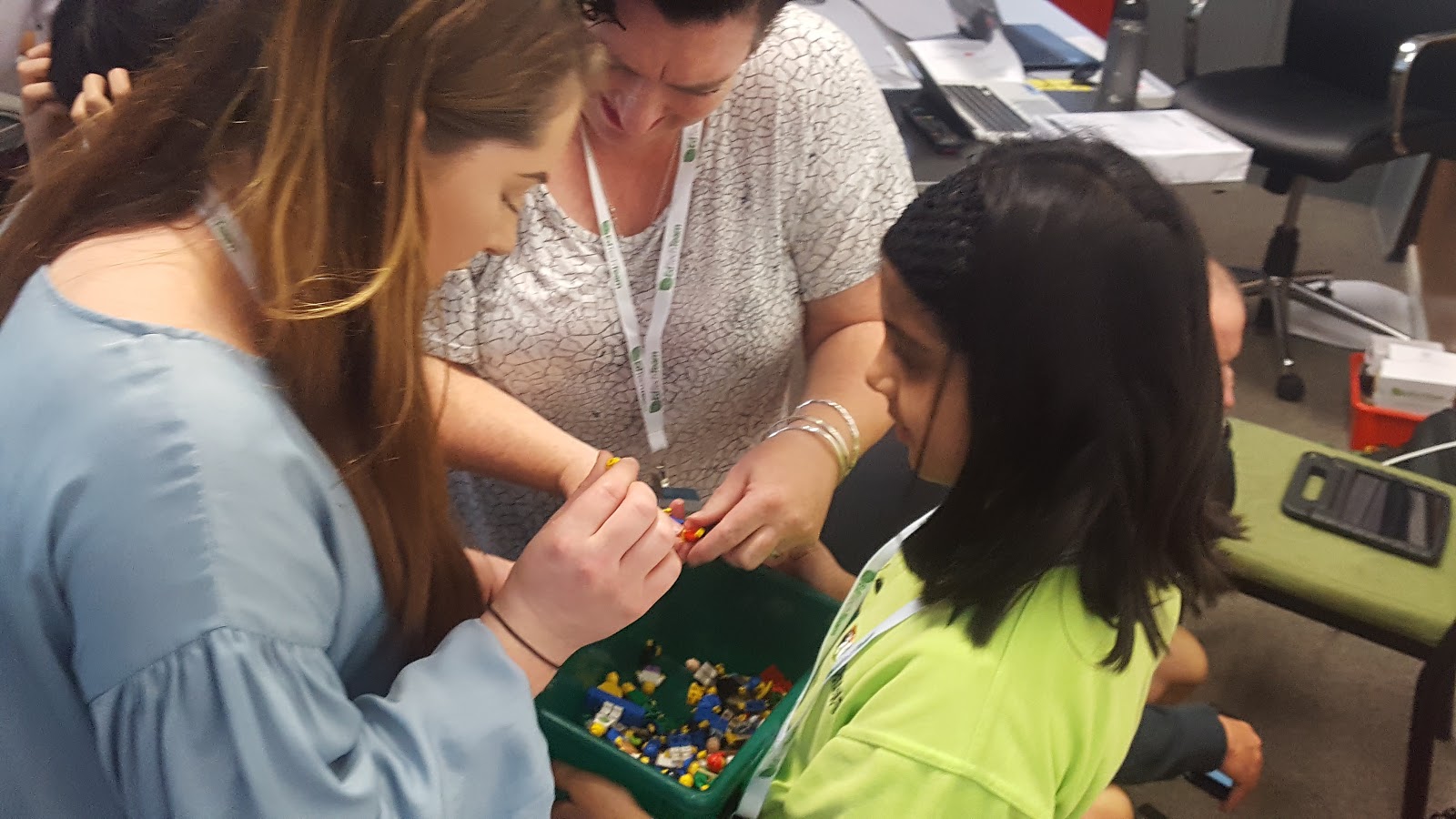
Previously, we had offered Stop Motion as a choice and it had turned into something of a disaster. For starters, we were unable to properly support the learners in this endeavour when it came to planning out a story or in actually filming it. This term we had decided to give less choice (but still some pretty awesome choices - the two other workshops that ran were making a newspaper and making storybooks) so we could focus our direction. So I started this term with having the learners plan out their story roughly. I did give them the option of using a variety of materials, but all the groups but one chose to use Lego in the end (which was great because I had just brought all my childhood Lego back from Canada).

Here is how I had them plan out the story. I decided that I wanted them to have more than 1 scene, and since we all love the 5 parts of a story, I gave them five boxes. But what I didn't do was tell them that the story had to have specific parts (eg the introduction, build up, dilemma, resolution and ending - or whatever five parts you call them). I wanted to make them think that things had to be in a sequence, but at the same time I didn't want to limit them.


The next thing I had the groups do was to write a script. I gave them an example, which included stage directions. To me, this was important. While I did want the learners experimenting with the Lego to come up with their story, I also wanted them to put some good thought into their story beforehand, so they didn't start the story without knowing where it was going. This writing took a while, but in the end, the discussions that came out of it were incredible and the quality of the stories definitely benefitted (for the most part)

Not all scripts were this good, but I particularly liked this groups' because they put lots of directions (and if you watch their movie they may have actually said the directions as well - which was helpful in determining what was going on).


The last part of the project (ok, it was actually two parts, but the second part of this was much easier than the first) was to teach the children how to actually use the technology (which in this case was an iPad and the Stop Motion App). The biggest issue the learners had had when they had worked without guidance was how to actually film the video. They would often just take a picture while holding the camera and then move somewhere else and take another picture. The videos were all disjointed and didn't really make sense. So, with 50 children all around me, I showed them how to set up the iPad so that they didn't need to hold it - thank goodness for Airplay! I showed them how they need to make small changes for each picture, not big ones. They mostly took the advice (as can be seen in the videos) so I was pretty happy with how that turned out.

The last part of the last part was to add sound. This was fairly easy once they discovered how to do that. We had a few issues with groups recording the sound, previewing it and then nothing else because they didn't realize they had to click Accept. A frequent frustration that came out of this part of the project was that the people went too fast. Perhaps I didn't quite capitalize on this realization to teach them about how long it really takes for people to talk when you're filming frame by frame. But for the most part the managed to improvise (most just slowed down the speed from 5 frames per second to 4 or even 3).

Have a look at some of their finished projects here:


During the last week of term we had a sharing day for all of the writing projects. We put the videos on a loop in our Media Space and it was quite the popular event. It was really amazing to see their final projects up on a biggish screen and to see them enjoying each others' work.


Overall I was extremely pleased with the results and with what was seen during the process. A lot of the really great bits of learning probably won't even come out of the videos. The sets and stories they came up with orally and the problem solving they had to do with the filming were amazing to watch. At one point during writing time a fellow learning coach and I remarked how we could have walked out of the room and the children probably wouldn't have noticed. They were that engaged and independent.

The one thing that was probably missing was a way to decrease the feedback loop. I probably should have set up a way for groups to share their plans and scripts with each other so that they could get a critical eye and some suggestions. This potentially could have happened throughout the filming stage as well as afterwards to help them in any future projects they might make. That being said, they were working collaboratively so they did have at least an element of feedback from their groups.

So if you have any lego lying around, my suggestion to you is to try this. It's not the first (and definitely not the last) time I've used Lego to try to get my learners engaged and every time the same thing happens: lots of children excited to tell a story! Watch this space for more of the things I do with Lego and learning!

Friday, September 22, 2017

Pen Pals: Connecting Across Oceans

This past term, after a few years of saying I will do it, I finally got some learners to write letters to children in another country AND sent the letters. Two things happened in June that made this possible, three months later: 1) I met some very willing partners at ISTE (hey, there is a theme going through a few of these posts, isn't there?) and 2) My team back in New Zealand also wanted to connect with other schools. Having the support on both sides proved crucial in getting this off the ground.

Part of the reason I wanted to do this was that all too often, writing is done for the sake of writing. I wanted to give my learners a chance to write for a purpose (in this case, communicating with someone and fostering a long-distance friendship, maybe), and to connect with children around the world.

So as a whole habitat, we did a lesson early in the term on writing letters and all of our children wrote a draft (albeit, none of them actually had set buddies at the time). I was able to work out through one of my ISTE connections 11 learners in the US (North Dakota to be exact) who could receive letters. So a week or so ago, I had my 11 learners write their good drafts, filled an envelope and sent them off. I've gotten word that they arrived (thank goodness my handwriting wasn't TOO bad!) and the responses will come back shortly. I'm pretty excited for that. Here are the letters that my learners have written:


One of the biggest difficulties in this whole thing was arranging buddies. Some of my fellow learning coaches had some schools to write to, and some of them fell through. I was only able to (currently) connect with one other classroom (though I am still in talks with some others at a school in North Carolina). I think though, that I'm going to continue to be persistent. I'm still looking for some buddies, so if anyone is looking for some pen pal buddies (anywhere in the world), leave a comment here or a DM on twitter and I'll get back to you!